
Magnifier Plus with Flashlight

10M+
Installs
Digitalchemy, LLC
Developer
-
Video Players & Editors
Category
-
Rated for 3+
Content Rating
-
magnifierplus@digitalchemy.us
Developer Email
-
https://www.digitalchemy.us/magnifier-plus/privacy-policy
Privacy Policy
Screenshots
editor reviews
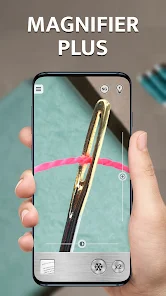
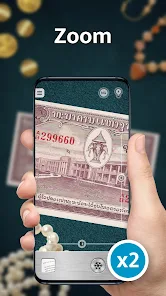
Magnifier Plus with Flashlight is basically one of those utility apps that turns your phone into a practical magnifying glass, ideal for when you need to read tiny text on a prescription bottle, inspect a scratch on a surface, or see the fine print on a receipt. It's a straightforward tool app, not a camera or photo editor, so you download it with a specific need in mind. The first time you open it, there's no complicated registration or sign-up—just a simple lens view on your screen, and you're ready to go. It's free to download from the Google Play Store and Apple's App Store, and it's been installed over 10 million times, which gives you some confidence it's reliable. First impression is that it's surprisingly clean and uncluttered, with the flashlight toggle right there, so you don't have to hunt for it.
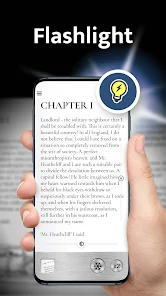
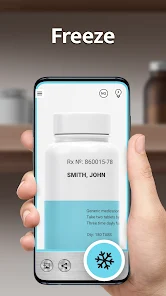
Using the app day-to-day feels pretty smooth for what it is. You launch it, and immediately you see the camera feed magnified, with a slider at the bottom to adjust the zoom level. The flashlight button is big and obvious, so in a dim room, you can tap it once to light up whatever you're looking at. To freeze the image for closer inspection, there's a capture button—handy when you're trying to read something shaky, like a label on a medicine bottle while standing on a moving bus. The interface is minimal, so you don't get lost in menus or settings. One small tip I picked up: if you're trying to read something really tiny, hold the phone steady and use the freeze button, then zoom in further on the captured photo. It's not perfect in low light, but the flashlight helps a lot. The whole experience feels like a no-nonsense tool that does one job well, without trying to be a full camera replacement.
After using it for a while, I'd say this app is a keeper for anyone who often deals with small text, like older adults, hobbyists working on detailed crafts, or people who just hate squinting at packaging. It's not for you if you need advanced image processing or want to save high-quality photos, because the captured images are decent but not super sharp. Compared to similar apps like Magnifier, Magnifier Plus stands out because it includes the flashlight as a core feature, which many others treat as an afterthought. Some might also like that it has a simple freeze-and-zoom function, while rivals like Big Magnifier push more editing tools that feel unnecessary. Honestly, I keep it installed for those random moments—reading a restaurant menu in dim lighting or checking a serial number in a dark drawer. It's not flashy, but it's the kind of app you're happy to have when you need it, and the lack of intrusive ads makes it feel respectful of your time.
features
- 🔍 The zoom slider ranges from 1x to 10x, which covers most everyday needs like reading tiny labels or inspecting details, though it doesn't match the 20x+ found in Magnifier on iOS.
- 💡 The built-in flashlight toggle is integrated seamlessly, turning the camera LED on with one tap—perfect for low-light scenarios, while many rivals like Super Vision+ Magnifier keep the flashlight buried in settings.
- 📷 A freeze-frame capture button lets you lock the image and then zoom in further on the saved photo, which is smarter than just holding the camera steady; similar tools often require you to take a separate screenshot.
- 🚫 No account creation or permission clutter—it works offline immediately, whereas apps like Magnifier Pro sometimes push sign-ups or location access for no clear reason.
pros
- 🔦 Instant flashlight activation: Unlike Big Magnifier, which only lets you turn on the flash after a few taps, Magnifier Plus puts it front and center, so in a hurry you just tap once.
- 🎯 Minimalist design: It avoids the feature bloat of apps like HD Magnifier, which stuffs in filters and rulers that most people never use, keeping the focus on magnification alone.
- 📴 Fully offline: No internet permissions required, meaning it works in airplane mode or remote areas, unlike some alternatives that need a network connection for initial setup or ad delivery.
cons
- 🖼️ Low capture resolution: The saved images are at best moderate quality, so if you need to photograph a tiny part number clearly for later reference, apps like Magnifier+ Pro with their higher-res capture outperform it.
- 🔎 No auto-focus lock: The camera can hunt for focus when you're close up, especially on glossy surfaces, while iOS's built-in Magnifier locks focus more reliably in such situations.
- 📁 No zoom-history saving: You can't recall a previous zoom setting for similar tasks, unlike some tools that let you save presets—a minor but noticeable lack for frequent users.
Recommended Apps
![]()
Daily Horoscope
KADO Apps4.4
![]()
FOX Sports: Watch Live Games
Fox Digital Services, LLC3.7
![]()
Fake Call from Santa Claus
ThunderClap4.2![]()
Google Maps
Google LLC4.2![]()
PhotoLayers-Superimpose,Eraser
handyCloset Inc.4.6![]()
Healthy Benefits+
Solutran, Inc.4.5![]()
SuperMe - Avatar Maker Creator
THE.DEMON3.7![]()
Air Horn
Tenoku4.8![]()
Football Wallpaper HD 4K
Orange Infotech Studio4.6![]()
Artplay - AI Photo & Video
Hideaway Technology Limited4.5![]()
Horoscopes – Daily Zodiac Horo
Mail.Ru Group4.1![]()
Passport Parking
Passport Labs, Inc.2.5![]()
ParkMobile: Park. Pay. Go.
Parkmobile, LLC4.3![]()
FestAI: Ghost Detector App
Now Tech3.2![]()
Photo Tool
COLIFER LAB4





























