

Lightleap by Lightricks

10M+
Installs
Lightricks Ltd.
Developer
-
Video Players & Editors
Category
-
Rated for 3+
Content Rating
-
lightleap.android.support@lightricks.com
Developer Email
-
https://static.lightricks.com/legal/privacy-policy.html
Privacy Policy
Screenshots
editor reviews
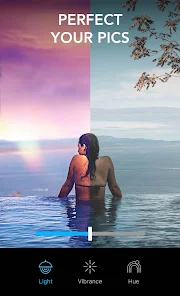
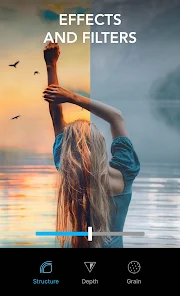
Lightleap by Lightricks is a photo editing app focused entirely on changing the lighting and atmosphere of your pictures. It sits in the same genre as tools like Adobe Lightroom or VSCO, but instead of giving you a full suite of sliders for every possible adjustment, it zeroes in on how light hits your subject. You can download it for free from Google Play or the App Store, and the first impression after installing and launching it is that it feels polished—like opening a professional tool that expects you to know what you want. The app shows you a clean interface with your camera roll immediately, so there's no confusing dashboard to navigate. It has in-app purchases for extra looks and effects, and there are ads occasionally, but they never felt intrusive during my early tests.
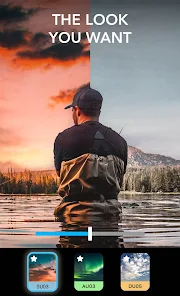
Once you start using Lightleap, the hands-on experience is surprisingly straightforward. You pick a photo, and then the app presents a series of "Looks" at the bottom—these are preset lighting adjustments that change the entire mood of the image. For example, tapping "Golden Hour" makes your sunset shot warmer and more dramatic, while "Fog" adds a soft, hazy filter. The onboarding is quick, showing you a short tutorial on how to swipe through looks and adjust intensity with a slider. In daily use, you would tap a look, use the slider to tone it down or amp it up, and then save the result. One small tip I picked up: the "Selective Adjustments" tool lets you paint light onto specific areas, which is great for brightening a face in a dark group photo. The app runs smoothly on my phone, though applying heavy effects like "Light Leak" took a couple of seconds to process, which was slightly annoying.
After using Lightleap for a while, my personal judgment is that it's a niche tool for people who care deeply about mood in their photos. If you enjoy taking landscapes at sunrise or portraits with dramatic backlighting, this app will feel like a cheat code—it makes those shots look cinematic without needing tons of skill. But if you're someone who just wants to slap a quick filter on a selfie for Instagram, you might find it overkill or too specialized compared to something like Snapseed or Lightroom Mobile, which offer more versatile controls. What sets Lightleap apart is its focus on lighting as a standalone element, not just a slider among many. I kept it installed because it handles low-light photos better than my regular gallery editor, and the "Sky" replacement tool is surprisingly realistic. That said, I could see someone uninstalling it if they rarely shoot outdoors or if they're fine with the built-in lighting adjustments in their phone's default camera app.
features
- ✨ Lighting-First Approach: Lightleap doesn't drown you in a hundred sliders for every possible adjustment. Instead, it focuses solely on changing the mood and atmosphere through lighting effects. You get tools like "Golden Hour," "Fog," and "Light Leak," each designed to transform the light in your photo. In contrast, Adobe Lightroom has a more comprehensive set of tools for color and exposure but lacks Lightleap's specialized, one-tap lighting presets that feel creative and fun.
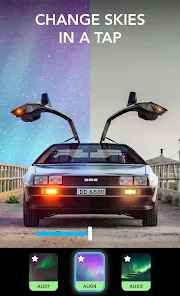
- ✨ Sky Replacement Tool: This feature lets you swap out the sky in your photo instantly. You can choose from a library of sunsets, starry nights, or stormy clouds, and the app blends the edges so naturally it's hard to tell it wasn't original. Compared to similar apps like PicsArt or Enlight, Lightleap's sky tool feels more seamless and less gimmicky, with better masking that doesn't look fake.
- ✨ Selective Lighting Adjustments: Instead of editing the whole image, you can use the brush tool to apply lighting changes to specific areas. This is perfect for brightening a shadowed face or adding a warm glow to just the background. While Snapseed has a similar selective adjustment tool, Lightleap's is more intuitive and less cluttered, letting you focus purely on light without worrying about contrast or saturation controls getting in the way.
pros
- 🌟 Incredible Ease of Use: The interface is clean and the controls are minimal, so anyone can achieve professional-looking lighting effects in seconds. It's much faster than using Adobe Lightroom, where you have to manually adjust multiple sliders. I can open Lightleap, pick a look, and save a photo in under a minute.
- 🌟 Realistic Effects: Unlike some apps where filters look cheap or overdone, Lightleap's lighting effects are subtle and natural. The "Golden Hour" look doesn't make your photo look like a neon sign; it softens the light gently. VSCO has good filters too, but they often change the entire color palette, whereas Lightleap keeps the original colors intact.
- 🌟 Good Performance on Older Phones: The app runs smoothly even on my older phone, loading effects quickly without crashing. Adobe Lightroom can be a bit heavy on older devices, making it lag when applying multiple edits. Lightleap feels lightweight and responsive.
cons
- 💔 Limited Editing Scope: Lightleap is great for lighting but lacks basic tools like crop, rotate, or sharpening. You need a separate app for those adjustments. Adobe Lightroom or Snapseed offer all these features in one place, so you don't have to switch between apps.
- 💔 No RAW Support: If you shoot in RAW format for professional photography, Lightleap won't import those files. Lightroom Mobile supports RAW, giving you more flexibility in post-processing. This makes Lightleap less suitable for serious photographers.
- 💔 Small Look Library for Free Users: The free version gives you only a handful of looks, and many of the best ones are locked behind a subscription. In contrast, VSCO offers a generous set of free presets, and Snapseed is completely free with no paywalls.
- 💔 Occasional Processing Lag: When applying heavy effects like "Light Leak" to a high-resolution photo, the app freezes for a few seconds. This doesn't happen with simpler apps like Snapseed, which processes edits instantly regardless of file size.
Recommended Apps
![]()
Daily Horoscope
KADO Apps4.4
![]()
FOX Sports: Watch Live Games
Fox Digital Services, LLC3.7
![]()
Fake Call from Santa Claus
ThunderClap4.2![]()
Google Maps
Google LLC4.2![]()
PhotoLayers-Superimpose,Eraser
handyCloset Inc.4.6![]()
Healthy Benefits+
Solutran, Inc.4.5![]()
SuperMe - Avatar Maker Creator
THE.DEMON3.7![]()
Air Horn
Tenoku4.8![]()
Football Wallpaper HD 4K
Orange Infotech Studio4.6![]()
Artplay - AI Photo & Video
Hideaway Technology Limited4.5![]()
Horoscopes – Daily Zodiac Horo
Mail.Ru Group4.1![]()
Passport Parking
Passport Labs, Inc.2.5![]()
ParkMobile: Park. Pay. Go.
Parkmobile, LLC4.3![]()
FestAI: Ghost Detector App
Now Tech3.2![]()
Photo Tool
COLIFER LAB4





























