
Hair Color Changer Real

10M+
Installs
itsmyapps
Developer
-
Video Players & Editors
Category
-
Rated for 3+
Content Rating
-
itsmyapps.com@gmail.com
Developer Email
-
https://sites.google.com/site/itsmyappsreal/
Privacy Policy
Screenshots
editor reviews
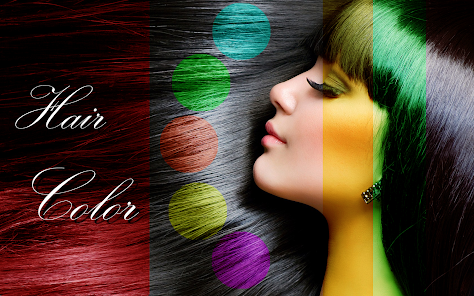
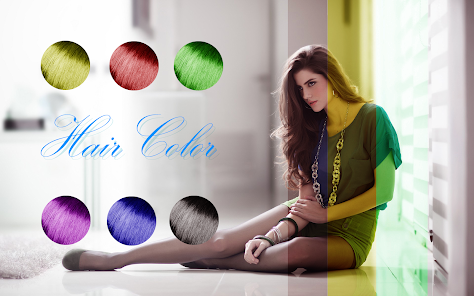
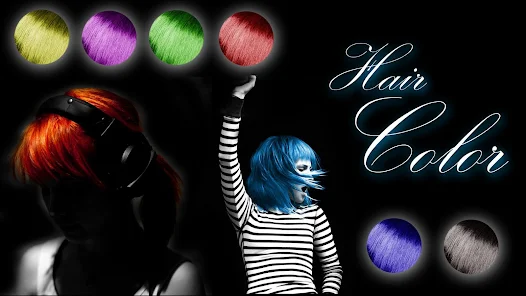
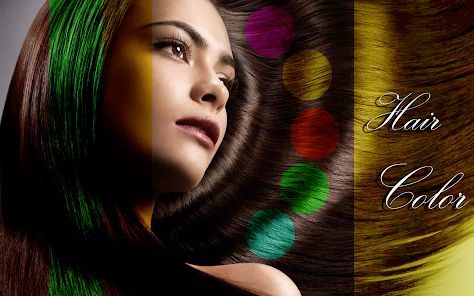
Tucking into yet another "what if I dyed my hair" rabbit hole, I stumbled on Hair Color Changer Real by itsmyapps. It's a photo editing utility, pretty much what it sounds like, for previewing hair colors on your own pictures. You can grab it on Google Play and the App Store, and yeah, it's a free download. The install count seems decent for this sort of tool. No forced sign-up to just open it and mess around, which is a relief. Right after launching, you're hit with a pretty straightforward camera roll picker, so the initial impression is that there's no fluff—just get a photo and start experimenting.
Using it feels exactly like that: you select your headshot, and the app auto-detects the hair area. Honestly, the auto-selection can be a bit iffy on complex hairstyles or tricky lighting, so you end up manually brushing over the edges to clean it up. After that, you swipe through a palette of shades. Some look super realistic, others veer into cartoon territory. I fiddled with a natural brunette before jumping into an unnatural silver, and the app handled the change in a couple of seconds. The brush tool for touching up missed strands is the real MVP here. It's not a flawless process—expect some halo effects around flyaway hairs—but for a quick, fun preview, it does the job without forcing you to sit through a video tutorial.
After playing with it for an hour, I think this is spot-on for someone who wants a low-risk, no-strings-attached way to test a drastic color before committing to a salon appointment. It saves you from the awkwardness of a bad dye job. However, if you already know your go-to shade or you're after serious, layer-by-layer editing like in Facetune or Photoshop, you'll outgrow it fast. What sets it apart from those apps is its laser focus on one thing—hair color—without the bloat of full beauty retouching. I kept it installed because I'm indecisive about my next color, but I can see a lot of people uninstalling it after that one big color decision is made. It's a solid, specific tool, not a daily driver.
features
- 🎨 The core color changing works on a simple tap-and-swipe basis. You pick a hue, and the app applies it. Compare this to YouCam Makeup, which buries the hair color tool inside a suite of other beauty filters. Here, the whole app is built around that one action, so the process from photo to preview is noticeably faster.
- 🖌️ The manual brush tool for refining the hair mask is surprisingly precise for a free app. In apps like Perfect365, auto-detection is front and center, and manual fixes can be clunky. This app lets you zoom in and paint over tricky edges near the forehead or ears, which makes the final result look less like a sticker.
- 🚫 The complete absence of a mandatory registration screen is a standout feature. You just open the app, pick a picture, and start editing. Many similar utilities, like FaceApp, try to push an account creation or a premium trial before you even see the color picker. This app respects your time right from the launch.
pros
- 👍 It's completely free to use the basic haircolor preview. You don't hit a paywall after the first two tries, unlike Picsart where most fun edits are locked behind a subscription.
- 👍 The interface is dead simple. No learning curve, no floating menus covering your photo. Just a row of colors and a pair of adjustment buttons.
- 👍 It performs well on older phone hardware. I tested it on a mid-range handset from two years ago, and it didn't lag or crash during the rendering process.
cons
- 👎 The hair detection fails often with uneven lighting or braided hairstyles. You end up manually painting the mask for longer than you'd like. Comparatively, Adobe Photoshop Fix's "healing brush" does a cleaner job in one pass.
- 👎 The color palette is quite limited and leans heavily on unrealistic fantasy tones. There are only two or three "natural" shades. YouCam Makeup offers a far wider spectrum of realistic dyes.
- 👎 The final saved image takes a noticeable hit in resolution. It looks decent on the phone screen, but if you share it on social media, it can look pixelated around the edges.
- 👎 There are pop-up ads after each color change. Enough to be annoying, but not enough to break the experience. Most mainstream photo editors, like Snapseed, are completely ad-free in their main workflow.
Recommended Apps
![]()
Daily Horoscope
KADO Apps4.4
![]()
FOX Sports: Watch Live Games
Fox Digital Services, LLC3.7
![]()
Fake Call from Santa Claus
ThunderClap4.2![]()
Google Maps
Google LLC4.2![]()
PhotoLayers-Superimpose,Eraser
handyCloset Inc.4.6![]()
Healthy Benefits+
Solutran, Inc.4.5![]()
SuperMe - Avatar Maker Creator
THE.DEMON3.7![]()
Air Horn
Tenoku4.8![]()
Football Wallpaper HD 4K
Orange Infotech Studio4.6![]()
Artplay - AI Photo & Video
Hideaway Technology Limited4.5![]()
Horoscopes – Daily Zodiac Horo
Mail.Ru Group4.1![]()
Passport Parking
Passport Labs, Inc.2.5![]()
ParkMobile: Park. Pay. Go.
Parkmobile, LLC4.3![]()
FestAI: Ghost Detector App
Now Tech3.2![]()
Photo Tool
COLIFER LAB4





























