

Smile Photo Editor

5M+
Installs
Hairstyle Photo Apps
Developer
-
Video Players & Editors
Category
-
Rated for 12+
Content Rating
-
best.photo.app@gmail.com
Developer Email
-
http://bestphotoapps.ru/privacy-policy.html
Privacy Policy
Screenshots


editor reviews
Smile Photo Editor is one of those free photo editing tools you stumble upon when you just want to fix a quick selfie without jumping into a full-blown Photoshop session. It's primarily a beauty and retouching app, designed for people who want to whiten teeth, smooth skin, or add a bit of makeup to their photos without much hassle. After downloading it from Google Play and launching it, the first impression is surprisingly clean — no aggressive sign-up wall or endless permission requests. The install count is decent for a niche tool, and while it's free to use, you do run into ads between edits. There's also in-app purchases if you want to unlock premium filters or remove those ads entirely, which feels fair for something that doesn't demand your email upfront.
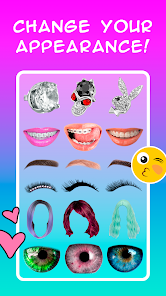
Once you're inside, the interface is simple enough that you can figure things out in under a minute. You pick a photo from your gallery, and the main editing screen shows a row of icons at the bottom — teeth whitening, skin smoothing, blemish removal, and a few makeup overlays like lipstick or blush. The flow is pretty straightforward: tap the feature you want, adjust the intensity with a slider, and apply. The teeth whitening tool works well on minor discoloration, though it can look a bit washed out if you overdo it. One thing I noticed is that the app doesn't really guide you through layers or complex steps, so you just go back and forth between tools until the photo looks right. A minor annoyance: every few actions, an ad pops up, which breaks the rhythm when you're trying to fine-tune details.
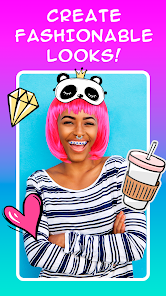
After using it for a few days, I'd say this app is perfect for someone who just wants a quick touch-up before posting a casual selfie on social media. It's not something a professional photographer would use, and honestly, apps like YouCam Perfect or FaceApp offer way more creative filters and AI magic. What makes Smile Photo Editor stand out in a small way is that it doesn't try to be a full editing suite — it sticks to facial retouching and does that one thing decently. I could see keeping it installed if I frequently take selfies and want a fast fix without wading through complex menus. But if you already have a more popular beauty app, you probably won't miss this one after uninstalling it.
features
- 😁 The teeth whitening tool is surprisingly precise for a free app — you can tap to select the areas you want to brighten, and it doesn't spill over onto gums or lips the way some other tools do.
- 💄 The virtual makeup effects, like lipstick and blush, let you pick real-time shades, and the blending is soft enough that it doesn't look like a sticker slapped on your face.
- 🌟 The blemish removal works with a simple tap-to-heal mechanic, similar to what you'd find in YouCam Perfect, but without needing to create a whole project file.
- 🎨 The app keeps all edits non-destructive until you export, so you can go back and tweak the intensity of each effect — something Adobe Lightroom does, but in a much simpler way here.
pros
- ✅ The interface is lightweight and loads fast, unlike FaceApp which tends to get bogged down with heavy AI processing.
- ✅ It doesn't require an account or internet for core editing, so you can use it offline — a clear advantage over YouCam Perfect which pushes cloud features.
- ✅ The ad interruption is annoying, but you can earn rewards or watch a short video to unlock premium filters temporarily, which is more flexible than a straight paywall.
cons
- ❌ The free version has too many ads between edits — YouCam Perfect handles this better by showing ads only when you export.
- ❌ There's no undo button for individual steps, so if you mess up a skin smoothing adjustment, you have to restart the whole photo.
- ❌ The app lacks AI-powered auto-enhance features that FaceApp offers, so you have to manually tweak every detail yourself.
- ❌ Export quality feels slightly compressed compared to the original photo, which is disappointing if you want to print or share high-resolution images.
Recommended Apps
![]()
Daily Horoscope
KADO Apps4.4
![]()
FOX Sports: Watch Live Games
Fox Digital Services, LLC3.7
![]()
Fake Call from Santa Claus
ThunderClap4.2![]()
Google Maps
Google LLC4.2![]()
PhotoLayers-Superimpose,Eraser
handyCloset Inc.4.6![]()
Healthy Benefits+
Solutran, Inc.4.5![]()
SuperMe - Avatar Maker Creator
THE.DEMON3.7![]()
Air Horn
Tenoku4.8![]()
Football Wallpaper HD 4K
Orange Infotech Studio4.6![]()
Artplay - AI Photo & Video
Hideaway Technology Limited4.5![]()
Horoscopes – Daily Zodiac Horo
Mail.Ru Group4.1![]()
Passport Parking
Passport Labs, Inc.2.5![]()
ParkMobile: Park. Pay. Go.
Parkmobile, LLC4.3![]()
FestAI: Ghost Detector App
Now Tech3.2![]()
Photo Tool
COLIFER LAB4





























