

Ritmo: Face Aging Editor

1M+
Installs
Faceplay Reface Face Swap Video Editor
Developer
-
Video Players & Editors
Category
-
Rated for 3+
Content Rating
-
zhongxinweb2021@outlook.com
Developer Email
-
http://resource.zhongxwx.com/ritmo_gp/privacy.html
Privacy Policy
Screenshots

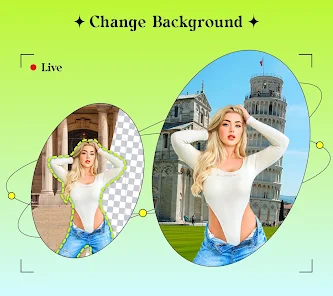
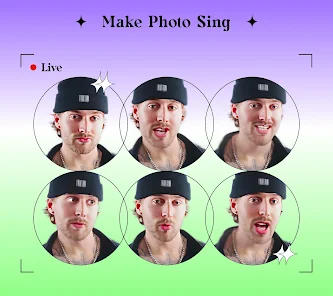

editor reviews
I first came across Ritmo: Face Aging Editor while browsing the Google Play store. It's a novelty face-editing app, specifically designed to show you what you might look like as you get older, or even as a baby. Beyond aging, it also offers gender swap and some basic face-enhancement tools. It made by Faceplay Reface Face Swap Video Editor, a developer better known for face-swapping tech. What prompted me to download it was simple curiosity - everyone wonders how they'll look with wrinkles or gray hair, right? After installing it (it's free, but loaded with ads and in-app purchases), the first impression was a bit mixed. The UI felt cluttered, and it immediately pushed a subscription before I could even try anything. Still, the concept was tempting enough to ignore that initial annoyance.
Once I got past the paywall pitch, the actual experience was pretty straightforward. You pick a photo from your gallery or snap a new one - the app prefers a front-facing shot with good lighting. Then you pick an effect: aging to different decades, baby mode, or gender swap. The processing takes maybe 10 to 15 seconds, which feels reasonable. The first time I aged myself to 60, I actually laughed out loud - it added crow's feet, sagging skin, and gray hair convincingly enough to be spooky. The baby filter turned me into something that looked like a weird, wrinkled infant, which was less flattering. Navigating between effects is smooth, but the app constantly nags you to watch ads to unlock higher-resolution exports. A small tip: turn off your Wi-Fi if you just want to test it without interruptions, but be warned the results will be watermarked.
After using Ritmo for a few days, I can see its appeal for parties or silly social media posts. It's fun to send a "future you" pic to friends and get a laugh. But honestly, the novelty wears off fast. The app is shallow - you're not going to use it daily unless you're obsessed with aging filters. Compared to apps like FaceApp or Remini, which offer more polished and varied editing, Ritmo feels gimmicky. The constant ads and push for premium features make it annoying for casual use. I ended up uninstalling it after a week because it just wasn't worth the storage space. If you're looking for a quick joke or a Halloween costume preview, give it a shot. But if you want serious photo editing, look elsewhere.
features
- 😄 Aging simulation: The core feature is surprisingly detailed. It doesn't just slap on wrinkles; it actually modifies facial structure a bit, like adding jowls or thinning lips. In comparison, the aging filter in FaceApp feels more like a texture overlay - Ritmo's version seems to reshape your face more dynamically, which feels more realistic for a laugh.
- 😄 Baby filter: This is a standout oddity. Most apps, like Snapchat, just enlarge your eyes and shrink your nose. Ritmo actually tries to "de-age" your face to infancy, complete with chubby cheeks and a softer chin. It's not always accurate (sometimes it looks like a mutant), but it's definitely unique among similar editors.
- 😄 Gender swap: While not as refined as dedicated apps like FaceApp, the gender swap here is decent. It uses the same aging engine to modify jawlines and hair, making it feel integrated rather than a separate feature. It's fast, and the results are passable for a quick joke, though not for professional use.
pros
- 🏆 Free to download with no upfront cost: Unlike some apps that charge a fee just to install, Ritmo is free. You can access all basic effects without paying a cent, though you'll endure ads. This makes it low-risk for curious users.
- 🏆 Wide range of aging effects: Beyond just "old," you get multiple age stages (e.g., 20, 40, 60 years later). This granularity is rare. Competitors like YouCam Perfect only offer one aging filter, while Ritmo gives you a timeline, which is more fun for comparisons.
- 🏆 Quick processing speed: For a free app, the AI runs fast. I tested it against older apps like AgingBooth, and Ritmo processed a photo in under 15 seconds versus AgingBooth's 30+ seconds. That's a clear win for casual users who don't want to wait.
cons
- ⚠️ Aggressive monetization: The app is borderline unusable without paying. Every export is either watermarked or locked behind an ad. Competitors like FaceApp offer a few free exports without watermarks, making Ritmo feel more restrictive. It's hard to share results without feeling cheated.
- ⚠️ Cluttered interface: The home screen is a mess of buttons, subscriptions, and ad banners. It's confusing to find the aging feature at first. In contrast, apps like YouCam Perfect have a cleaner layout. Ritmo's design feels dated and distracting.
- ⚠️ Inconsistent baby filter: While unique, the baby filter often produces ugly results that look more like a deformed adult than a real baby. It's a hit-or-miss feature that can ruin the fun. Dedicated baby apps like BabyMaker do a better job with more natural outputs.
Recommended Apps
![]()
Daily Horoscope
KADO Apps4.4
![]()
FOX Sports: Watch Live Games
Fox Digital Services, LLC3.7
![]()
Fake Call from Santa Claus
ThunderClap4.2![]()
Google Maps
Google LLC4.2![]()
PhotoLayers-Superimpose,Eraser
handyCloset Inc.4.6![]()
Healthy Benefits+
Solutran, Inc.4.5![]()
SuperMe - Avatar Maker Creator
THE.DEMON3.7![]()
Air Horn
Tenoku4.8![]()
Football Wallpaper HD 4K
Orange Infotech Studio4.6![]()
Artplay - AI Photo & Video
Hideaway Technology Limited4.5![]()
Horoscopes – Daily Zodiac Horo
Mail.Ru Group4.1![]()
Passport Parking
Passport Labs, Inc.2.5![]()
ParkMobile: Park. Pay. Go.
Parkmobile, LLC4.3![]()
FestAI: Ghost Detector App
Now Tech3.2![]()
Photo Tool
COLIFER LAB4





























