

AI Video Art Creator - Livensa

500K+
Installs
FERASET
Developer
-
Video Players & Editors
Category
-
Rated for 3+
Content Rating
-
info@feraset.co
Developer Email
-
https://www.feraset.co/privacy.html
Privacy Policy
Screenshots
editor reviews
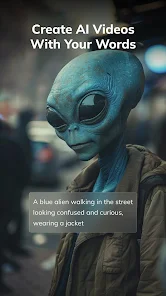
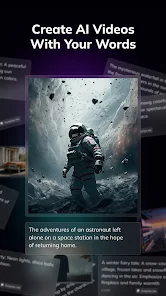
I stumbled upon AI Video Art Creator - Livensa a few weeks ago when I was looking for something to turn my boring vacation clips into something more artistic. It's essentially a mobile video transformation app, not exactly a full-blown editor but more of a style transfer tool that applies various artistic filters to your existing footage. You download it from the Google Play Store, and I noticed it has crossed a couple hundred thousand installs, which seemed decent enough to give it a shot. The first thing that hit me after launching it was this clean, almost minimal interface with bold color accents, no clutter or random pop-ups pushing subscriptions right away. It felt approachable, like an app that actually wants you to try before asking for money.
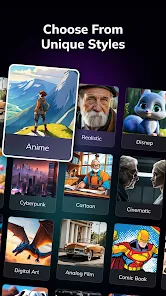
Once you start using it, the flow is pretty straightforward. You pick a video from your gallery, and the app presents you with a grid of artistic styles, things like oil painting, sketch, neon glow, and a few others I hadn't seen before. You tap one, and it processes the clip right there on your phone, usually taking about thirty seconds to a minute depending on video length. I tried a short clip of my dog running in the park, and the sketch style turned it into something that looked like an animated storyboard. The interface is smooth, no weird crashes, but I did notice that longer videos take noticeably longer, and there is no progress bar, just a spinning icon, which left me guessing whether it was still working. A small tip I picked up: trimming your clip to under 15 seconds speeds things up a lot.
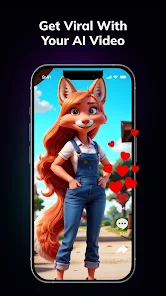
After playing around for an evening, I think Livensa sits in a weird spot. It is genuinely fun if you want to make quick artistic videos for social media or just impress your friends with something that looks like it took effort. But honestly, if you already use apps like CapCut or InShot, their filters are decent enough and come with way more editing power. Livensa feels more like a novelty tool, something you open once a month when you want that last-minute artistic touch. I can see someone keeping it around for that specific use, but the lack of advanced controls, no timeline editing, no sound mixing, makes it hard to justify as a daily driver. It is a neat app for a narrow purpose, but it probably won't replace your main editing suite.
features
- 🎨 Style variety is the main draw here. Livensa offers around 20 different art filters including watercolor, comic book, and impressionist, while CapCut only gives you about 5 basic artistic effects. The range lets you turn a simple street walk into something that looks like a moving painting.
- ⚡ Processing speed feels solid for shorter clips. A 10-second 1080p video takes about 20 seconds to render on my mid-range phone, which is faster than using similar filters in apps like PicsArt, where the same process can crawl for minutes.
- 🖼️ The live preview feature is useful but limited. You see a thumbnail version of the effect before processing the whole video, which saves time, though the preview is small and lacks detail compared to what you get in apps like YouCam.
- 🎯 No watermark on the free version is a huge plus. Unlike most video tools that plaster their logo on your export, Livensa keeps the output clean, which alone makes it worth trying for someone who hates watermarks.
pros
- ✨ Simplicity is Livensa's biggest strength. You open the app, pick a video, choose a style, and export, all in under a minute. CapCut or InShot require you to navigate layers, timelines, and effects menus to achieve something similar, which can be overwhelming for a quick job.
- ⚡ Resource efficiency stands out. The app rarely heats up my phone or drains battery during processing, unlike common editing tools that hammer the processor and leave the device warm after just one export.
- 💡 One-tap comparison is handy. You can toggle between the original and the stylized version with a single button, making it easy to decide if you like the change before committing, something missing in most video filter apps.
cons
- 🐌 Limited export resolution is frustrating. The free version caps at 720p, while InShot and CapCut let you export 1080p or even 4K for free, making Livensa feel less professional for anyone wanting high-quality output.
- 🔇 No audio editing at all. You cannot adjust volume, add music, or even mute the original sound within the app. Every other video tool I have used, including VivaVideo, at least lets you control audio tracks.
- 📏 No timeline or trimming beyond basic selection. You can only pick a video start and end point, but there is no frame-by-frame trimming, no split, no merge. CapCut gives you full timeline control even on the free tier.
- 💾 Occasional processing failures happen. About one in ten times, the app crashes during export on my device, and the video is lost without any auto-save, which is a dealbreaker for serious users compared to stable apps like PowerDirector.
Recommended Apps
![]()
Daily Horoscope
KADO Apps4.4
![]()
FOX Sports: Watch Live Games
Fox Digital Services, LLC3.7
![]()
Fake Call from Santa Claus
ThunderClap4.2![]()
Google Maps
Google LLC4.2![]()
PhotoLayers-Superimpose,Eraser
handyCloset Inc.4.6![]()
Healthy Benefits+
Solutran, Inc.4.5![]()
SuperMe - Avatar Maker Creator
THE.DEMON3.7![]()
Air Horn
Tenoku4.8![]()
Football Wallpaper HD 4K
Orange Infotech Studio4.6![]()
Artplay - AI Photo & Video
Hideaway Technology Limited4.5![]()
Horoscopes – Daily Zodiac Horo
Mail.Ru Group4.1![]()
Passport Parking
Passport Labs, Inc.2.5![]()
ParkMobile: Park. Pay. Go.
Parkmobile, LLC4.3![]()
FestAI: Ghost Detector App
Now Tech3.2![]()
Photo Tool
COLIFER LAB4





























