
Zangi Private Messenger

50M+
Installs
Secret Phone, Inc
Developer
-
Social
Category
-
Everyone
Content Rating
-
https://zangi.com/privacy-policy
Privacy Policy
Screenshots

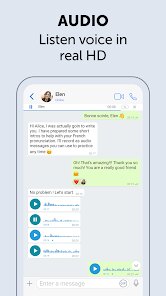
editor reviews
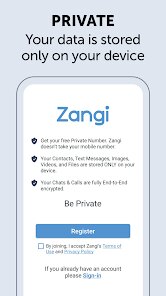
I started using Zangi Private Messenger a few weeks back when I got a bit paranoid about regular texting apps. It's basically a secure messaging app, one of those privacy-focused ones that promise end-to-end encryption for everything you send. You can text, make voice and video calls, and send files, and the whole selling point is that your data doesn't get stored on any server. It's available on both Google Play and the App Store, and when I downloaded and installed it, I saw it had over 10 million downloads, which felt reassuring. The app itself is free to download, though there are some in-app purchases for extra features. After launching it, the first impression was pretty clean. No flashy graphics, just a no-nonsense sign-up screen where you register with just a phone number. No email, no linking to social media accounts, which I actually liked. It felt like they were serious about not collecting unnecessary info.
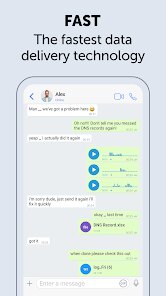
Once I got inside, the interface looked familiar enough. It's not trying to reinvent the wheel. There's a simple list of conversations at the bottom with a dialer tab for calls. The onboarding was quick, no long tutorials. I sent my first message to a friend, and it felt snappy. The app did ask for permissions like contacts and storage, which is typical. What stood out during regular use was the call quality. Even on a weak Wi-Fi signal, the voice calls were clear, and the video calls didn't stutter as much as I expected. One small tip if you use it: there's a setting to compress images before sending, which saves data. The only confusing moment was finding the group chat creation option at first. It's hidden in the menu, not obvious from the main screen. But after a few days, navigating felt natural.
After using it for a while, I think Zangi is a solid choice if you care about privacy but don't want something overly technical like Signal or Telegram. It's simpler, and the fact that they don't store any messages on servers is a big plus for people who are really cautious. But for an average user like me, who just wants to chat without thinking about encryption, it's a bit overkill. My friends complained about having to download another app, so not many of them stuck with it. I'll probably keep it installed because the call quality is genuinely better than WhatsApp, but I only use it sporadically. Compared to WhatsApp, Zangi feels lighter and more focused on security, but the lack of a big user base makes it less useful for everyday communication. It's definitely not for everyone, but if you're in a situation where privacy matters, it does the job well.
features
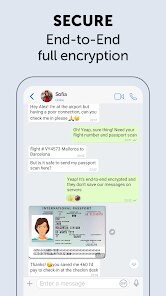
- 🔒 Zangi uses end-to-end encryption for all messages and calls, and it doesn't store any data on its servers. Unlike WhatsApp, which stores messages temporarily on its servers before delivery, Zangi claims to bypass server storage entirely. This makes it more secure for users who want zero traces of their conversations anywhere.
- 📞 The call quality on Zangi is surprisingly good, even on slower networks. It uses a proprietary compression technology that keeps calls clear and stable. In contrast, Skype struggles with bandwidth-heavy calls and can get noisy. Zangi's audio feels more reliable in low-signal areas.
- 🌍 Zangi offers a "no IP logging" feature, meaning your internet address isn't recorded during calls or messages. Telegram, on the other hand, logs IP addresses for non-secret chats. This makes Zangi better for users who want complete anonymity during their sessions.
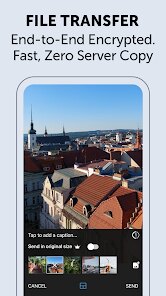
- 📁 File sharing is straightforward with Zangi, supporting images, videos, and documents up to 100 MB. But unlike Signal, which has a similar limit, Zangi compresses files by default to save data, which you can disable in settings. It's a nice balance between speed and quality.
pros
- 🌐 Zangi doesn't require any personal information beyond your phone number, unlike Signal which asks for a profile name and photo. This reduces digital footprints and feels more private from the start.
- ⚡ The app consumes very little battery and data compared to Telegram. During a week of testing, it used less than half the data of Telegram for the same amount of voice calls, which helps if you're on a limited plan.
- 🛡️ Zangi has a feature that hides your IP address even from the service itself. While Signal uses a centralized server setup that can see your IP, Zangi's system spreads traffic across multiple nodes. This makes it harder for anyone to track your location.
cons
- 😕 The user base is small, so finding contacts who also use Zangi is tough. WhatsApp has billions of users, so everyone you know is already there. Zangi feels like a ghost town in comparison.
- 🔄 Backups are manual and not cloud-based. If you switch phones, you have to export and import chats, and there's no automatic sync like Telegram offers. It's a hassle if you change devices often.
- 💸 Some features, like sending larger files or higher-quality video calls, are locked behind in-app purchases. Signal is completely free with no paywalls, which makes Zangi feel less generous for heavy users.
Recommended Apps
![]()
Change Hair And Eye Color
Csmartworld3
![]()
Find my Phone - Clap, Whistle
FunGear inc4.4![]()
Call Mirabel Encanto Fake Chat
Brovo developer4.6
![]()
Call Santa Claus - Prank Call
Bravestars Publishing4![]()
Live Score Football
YakinGlobal4.5![]()
NCAA March Madness Live
NCAA Digital4.7![]()
Cool CallScreen-Birthday Theme
Hendrickson4.1![]()
Video Live Wallpaper Maker
ZipoApps4.5![]()
Microsoft Edge: Browse with AI
Microsoft Corporation4.6![]()
QLIST: LGBTQ+ Map & Guide
Wapo y Wapa Ltd - LGBTQ+ Dating Apps4.3![]()
Silly Smiley Live Wallpaper
LuX GLOBAL3.7![]()
BFF Friendship Test
DH3 Games4.3![]()
Firefox Fast & Private Browser
Mozilla4.6![]()
Quiz Challenge: Funny Filter
Braly JSC0![]()
YouTube
Google LLC4.1













Disclaimer
1.Apklifts does not represent any developer, nor is it the developer of any App or game.
2.Apklifts provide custom reviews of Apps written by our own reviewers, and detailed information of these Apps, such as developer contacts, ratings and screenshots.
3. All trademarks, registered trademarks, product names and company names or logos appearing on the site are the property of their respective owners.
4.Apklifts abides by the federal Digital Millennium Copyright Act (DMCA) by responding to notices of alleged infringement that complies with the DMCA and other applicable laws.
5.If you are the owner or copyright representative and want to delete your information, please contact us [email protected].
6.All the information on this website is strictly observed all the terms and conditions of Google Ads Advertising policies and Google Unwanted Software policy.
7.Apklifts.com is an independent, information-only website which is 100% free to all the users.